

Mirrortalk 2.0 is coming at the end of February, it is the next evolution of Mirrortalk and we’re calling it M2. It brings together instructional support, feedback, reflection, and boosting participation into a simpler, more coherent experience across web, mobile, and the M2 device.
This release helps teachers make every tier of instruction great and participation visible, giving stronger support in the moments that matter most, both during and after class.
Real-time support
M2 will deliver immediate, actionable tips. Throughout the class, teachers can click for immediately actionable tips based on best practices to support Tier 1 and Tier 2 instruction. Based on the context of the class, M2 can generate a guided high-impact learning activity for teachers to walk students through or opt in to have M2 guide the class through an audio experience.
Teachers can also have input on the types of tips or interactions they need at the moment to support all student needs. Now, teachers can request a check for understanding, a discussion question, or classroom management suggestion as tips with the tap of a button.
A dashboard that turns class into next steps
After every class, teachers need clarity–not just more data.
The new M2 dashboard is organized around My Takeaways: a concise summary of what went well and what to improve next time. Feedback is broken down by chunks of the lesson (warm-up, instruction, group work, wrap-up), so teachers can connect insights to real moments they remember. Each activity is also given a participation score, teachers can use this as feedback for how Tier 1 and Tier 2 instruction is landing with students.
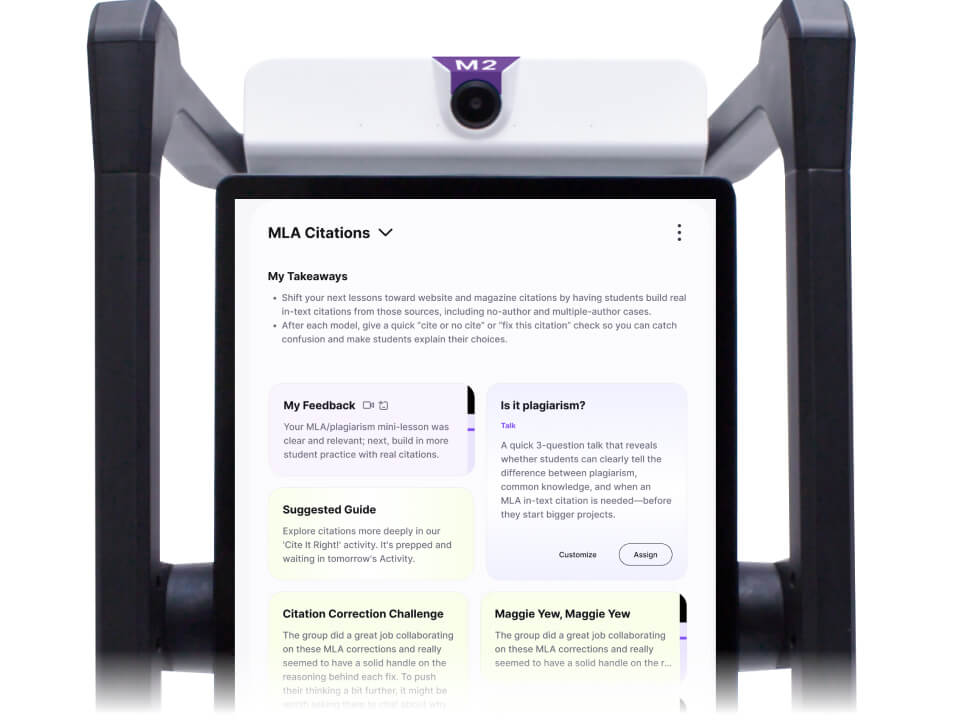
Teachers can:
- View feedback alongside the class transcript, in context
- See which instructional moves mattered most and where participation was visible
- Receive auto-suggested Reflections, Tiered Instructional Guides for the next lesson, and Exit Tickets ready to go, all tied directly to what just happened (coming soon)
Each visit to the Dashboard now becomes a momentum builder for the growth of the teacher and the entire class.
A simpler way to start and organize teaching
M2 simplifies how teachers move from planning to teaching.
Teachers now start activities from within Groups, such as “Period 3 Algebra”. All activities that are created within a group can be managed and revisited within the group.
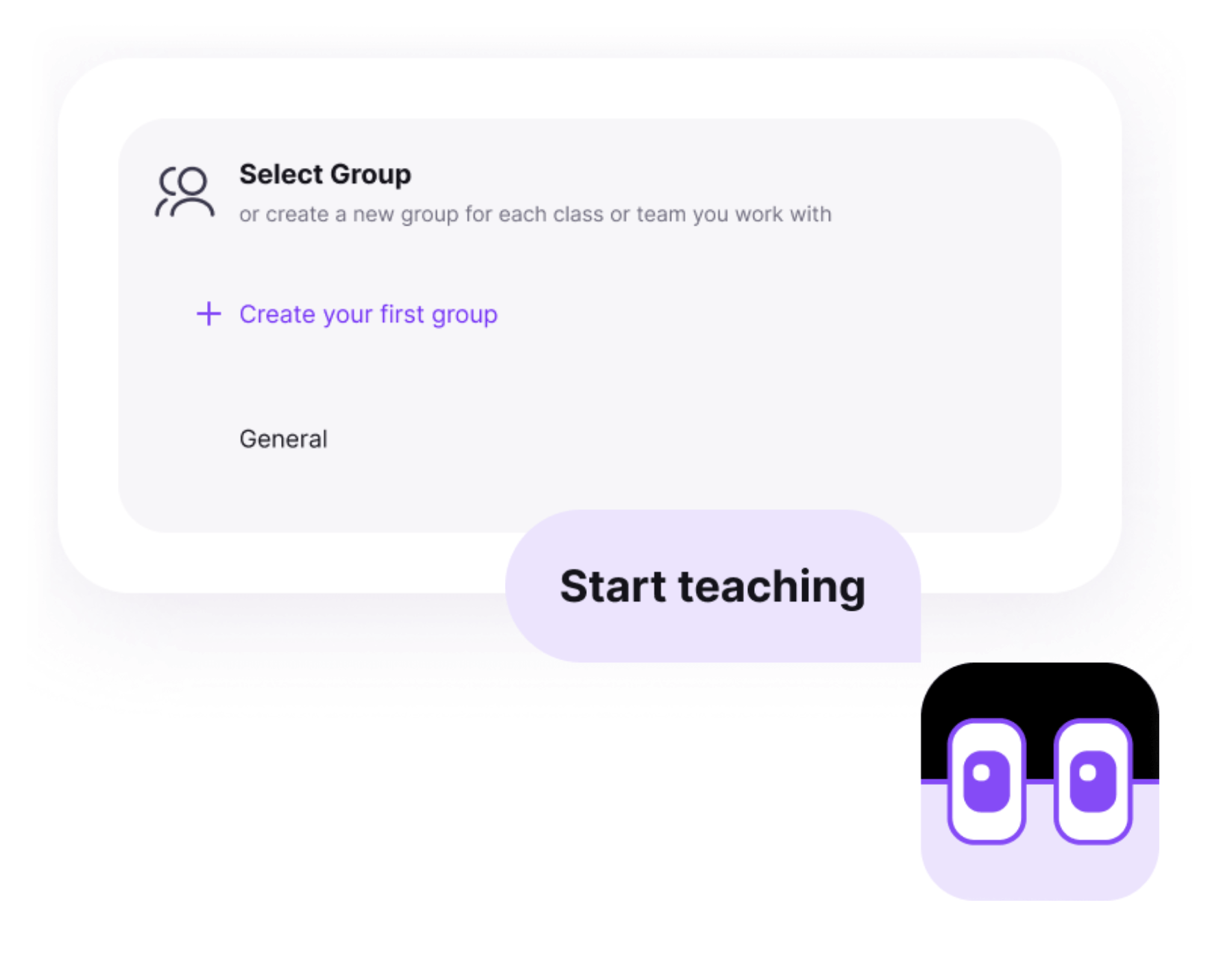
Activities that aren’t tied to a specific group live in a single General group, which means there’s no more sometimes-cluttered personal activities to manage.
Even though your teaching activities will now live in Groups, they are not visible to any students within the group. Students only ever see the work you assign to them, like Guides and Reflections.
Teaching with M2, now from your phone
Sometimes the easiest device to use is the one already in your pocket. M2 app helps support teachers, making tiered instruction easier with just a mobile device.
With M2 app, teachers can now run M2 teacher activities from phones and tablets:
- Start an activity
- Receive immediate tips to improve tiered instruction and suggested Guides
- All through a simple, mobile-friendly chat experience
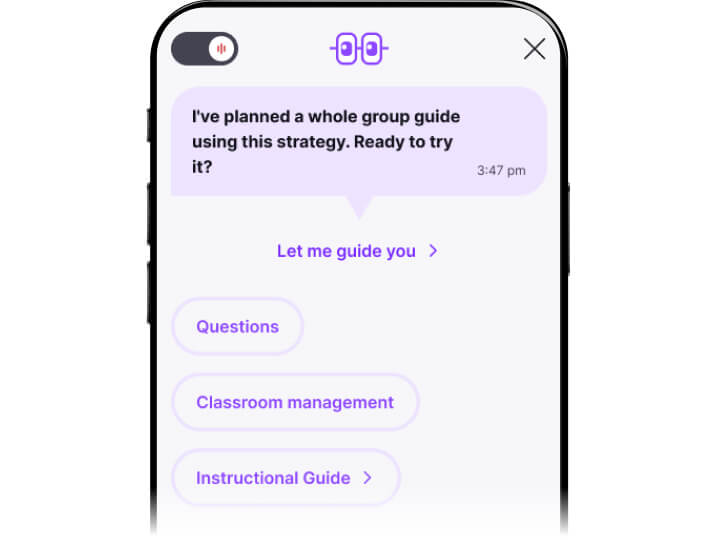
During class, teachers can request a check for understanding, discussion questions or classroom management tips with a single tap. After class, they can continue the conversation with M2—reflecting, clarifying feedback, and revisiting important moments, all through a text-based chat.
This mobile experience is intentionally simplified for use during instruction, with no audio output. This keeps the attention on student instruction and participation, not screens.
Reflection to bring clarity
Reflection works best when it’s immediate and conversational.
After class, teachers reflect by talking with M2 via text—on web or mobile—while the lesson is still fresh. They can dig into specific moments, revisit feedback, and analyze strengths and weaknesses of participation.
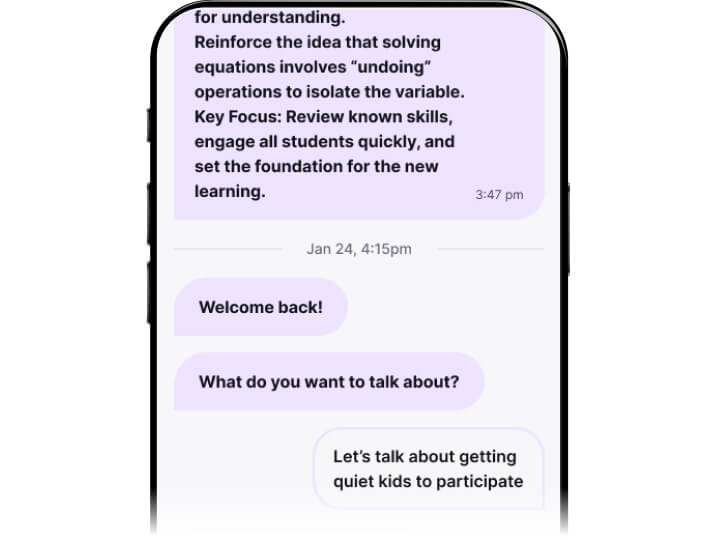
It’s a reflection that brings clarity and helps teachers come prepared for deeper conversations about their instruction, either on their own or with a coach.
What’s been removed?
To keep M2 focused, several features have been retired:
- Whiteboard
- Personal groups and personal verbal reflections for teachers
- Time-based tips
- Verbal Ask M2 inside chat
These changes reinforce a single goal: helping teachers create the conditions for meaningful participation, every day.
Why M2 matters
M2 isn’t about adding more features. It’s about aligning everything around what actually improves instruction: tiered supports, actionable feedback, and visible participation.
By bringing these pieces together, M2 makes it easier for teachers to focus on what matters most: creating classrooms where every tier of instruction is great and participation is flourishing.