
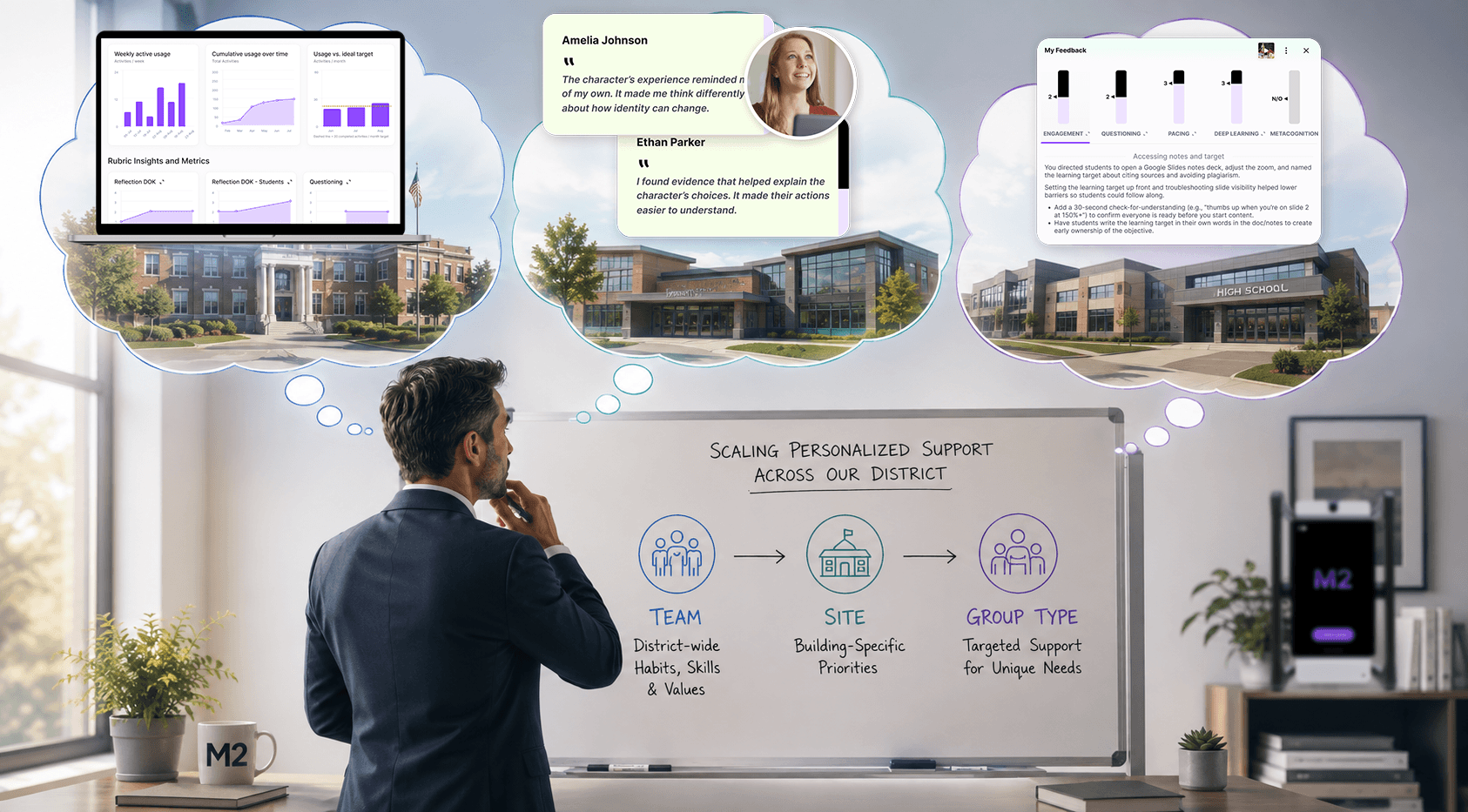
District leaders often need to balance two goals: aligning instruction to district priorities while giving schools and teachers support that reflects their specific needs.
M2’s rubric structure makes this easy by allowing you to layer criteria at three levels:
- Team: District strategic priorities
- Site: School-specific priorities
- Group Type (coming soon): Targeted initiatives or teacher groups
The key is knowing what belongs where, so everyone gets the feedback and scoring they need.
Team: Start with district strategy
When you add rubric criteria at the Team level, everyone in your organization will get feedback and scoring in these areas when they use M2. This means that the Team level is for the priorities you want reflected across the district.
Start with your district strategic plan and identify the goals that translate into observable classroom practices. For example, if your strategic plan prioritizes:
- Student engagement
- Literacy
- Critical thinking
- Instructional rigor
- Student-centered learning
Build criteria around what those priorities look like in practice.
You can also align M2 to your teacher evaluation framework and use an Evaluation group type to give teachers opportunities to practice and reflect on the same criteria used during formal observations.
Site: Add school-specific priorities
Use the Site level to build on the district foundation with priorities specific to a school.
Examples:
- An elementary school focusing on transitions and classroom routines
- A middle school emphasizing content-area literacy
- A high school working on formative assessment
- A school implementing PBIS or a new instructional model
Site-level criteria layer onto the Team baseline, so schools can address their own goals without losing district alignment.
Group Type: Target specific teachers or initiatives
Use a custom Group Type when the priority applies to a defined group rather than an entire school.
Common uses include:
New teacher cohorts: Focus on classroom management, lesson structure, routines, engagement, or other induction goals.
Curriculum implementation: Create criteria specific to the instructional practices associated with a new curriculum or program.
Professional learning initiatives: Give a cohort of teachers a shared rubric tied to the skills they’re developing.
Time-bound initiatives: Keep temporary priorities targeted to the teachers participating in them rather than adding them to everyone’s rubric.
PLC collaborative planning: Create a group for teachers participating in a PLC and use criteria focused on effective collaborative planning, such as using student data, aligning instruction to standards, developing common assessments, or planning differentiated instruction.
Keep rubrics focused
Once your rubrics are built, look at the full teacher experience. Remember that each rubric will generate feedback and scores for teachers after an M2 teaching activity.
Avoid duplicating criteria at multiple levels or adding every district initiative to the Team rubric. Teachers should be able to quickly understand what they’re being asked to focus on and why.
A simple way to organize your rubrics:
| Level | Purpose | Example |
| Team | District strategy | Student engagement |
| Site | School priority | Academic discourse |
| Group Type | Targeted support | New-teacher engagement strategies |
Support teachers without overwhelm
A strong M2 rubric structure connects district strategy to school priorities to targeted teacher support.
Start with the priorities that matter across the district. Add school-specific needs at the Site level, and use Group Types when a smaller group needs more targeted feedback.
This gives leaders a scalable way to personalize support while keeping everyone moving in the same direction.