
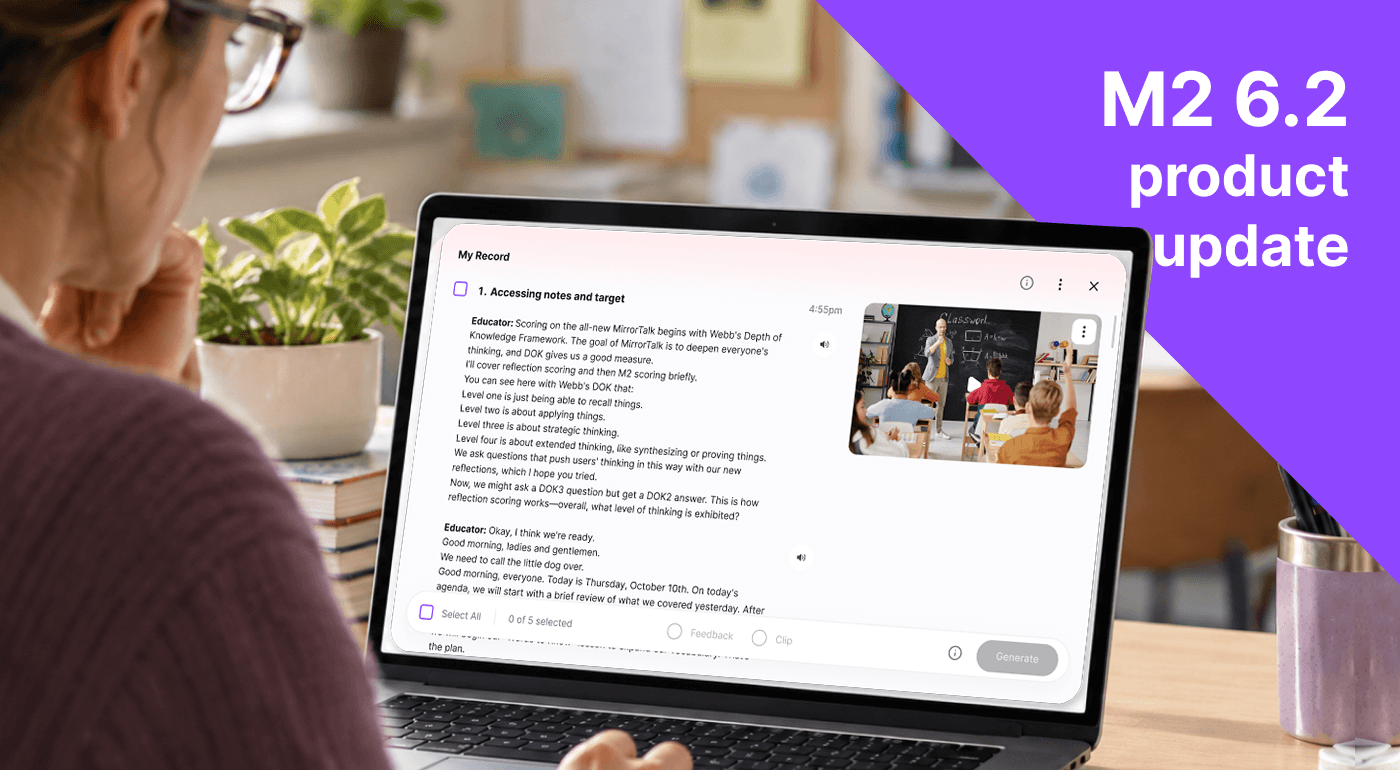
The latest M2 web release gives educators more control over how they get feedback from an M2 Activity. Start with the transcript, choose the moments that matter, and decide whether to generate rubric-based Feedback or create a shareable video/audio Clip. Comments and more encouraging Takeaways help turn those moments into opportunities for reflection and conversation.
These changes are in response to requests we’ve heard directly from you, our customers: more flexibility in deciding when feedback happens and what it covers.
Start with the Record, then choose your next step
Educators approach post lesson feedback with different questions. A teacher may want to revisit how a discussion unfolded. A faculty member may want to examine a particular explanation. A teacher candidate and supervisor may want to focus on one part of a lesson together.
The new experience begins with My Record, where educators can review a transcript organized into sections, alongside video when available. Teachers and Group managers can select the sections they want to explore before deciding what to generate, reports or clips.
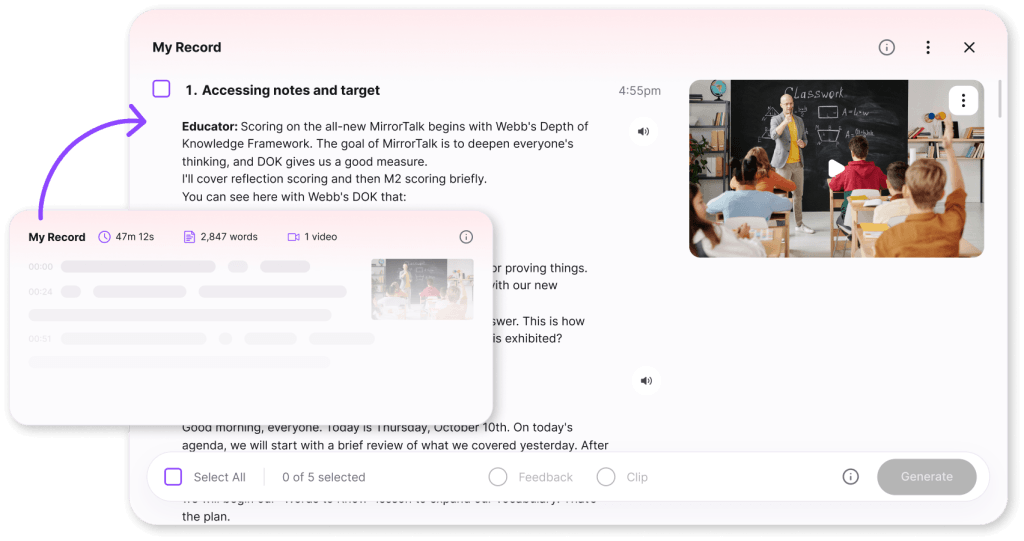
Rubric scores no longer appear automatically for the entire session. This gives educators room to review what happened and choose the focus and timing of their feedback.
For those who want a report on the whole session, that option remains available: select all sections, choose Feedback, and generate the report. The added selection step supports both a broad review and a closer look into a specific moment.
Capture a moment or explore it through feedback
Sometimes the next step is to save an example. Sometimes it is to examine that example through a rubric.
From My Record, educators now have two options:
- Clip: Creates a card with a quote and the selected transcript, plus video when available, that can be shared through a public link.
- Feedback: Creates a clip with a rubric report using the active rubrics for the Group’s type. Advanced settings let educators turn rubrics and metrics on or off for that report.
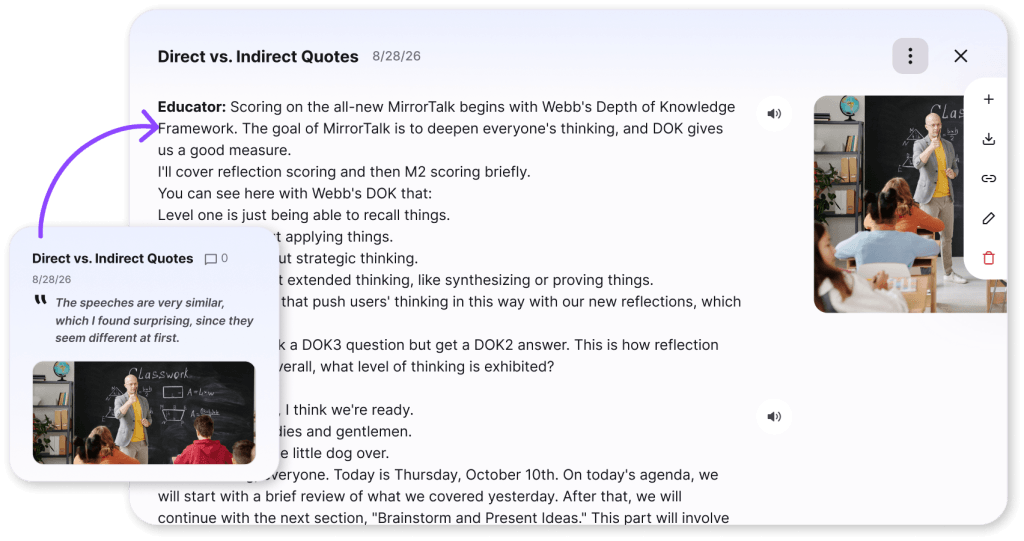
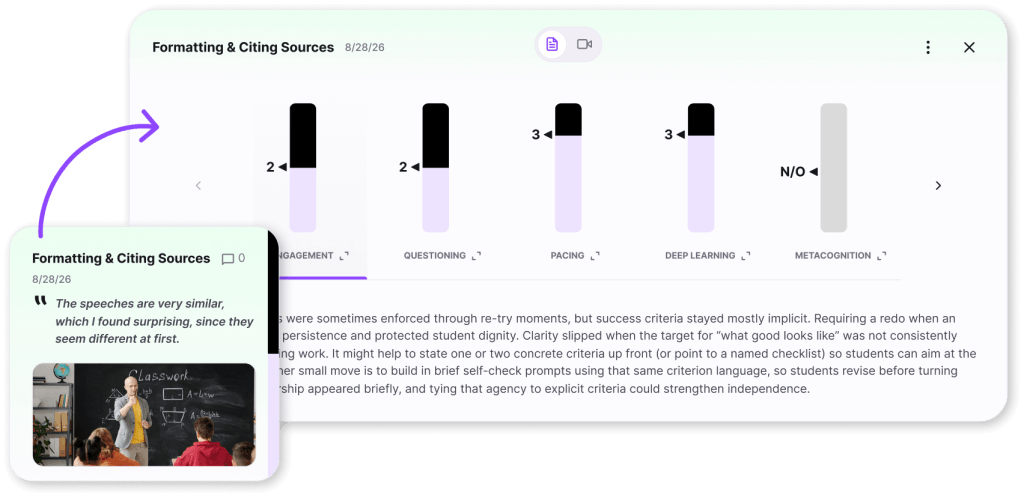
This makes it possible to share an instructional example without generating a report, or to request focused feedback on the part of a session connected to an educator’s current goal.
Each time an educator selects Generate, M2 creates a new card for the dashboard. A Clip cannot have a report added to it later; to explore that selection through a rubric, generate a separate Feedback card.
Keep the conversation connected to the evidence
A useful coaching conversation often begins with a specific example: a question, an explanation, or an exchange worth revisiting.
Logged-in educators can now comment on individual Clip and Feedback report cards. Teachers can add their own perspective, and coaches or colleagues can respond with questions and observations alongside the material being discussed.
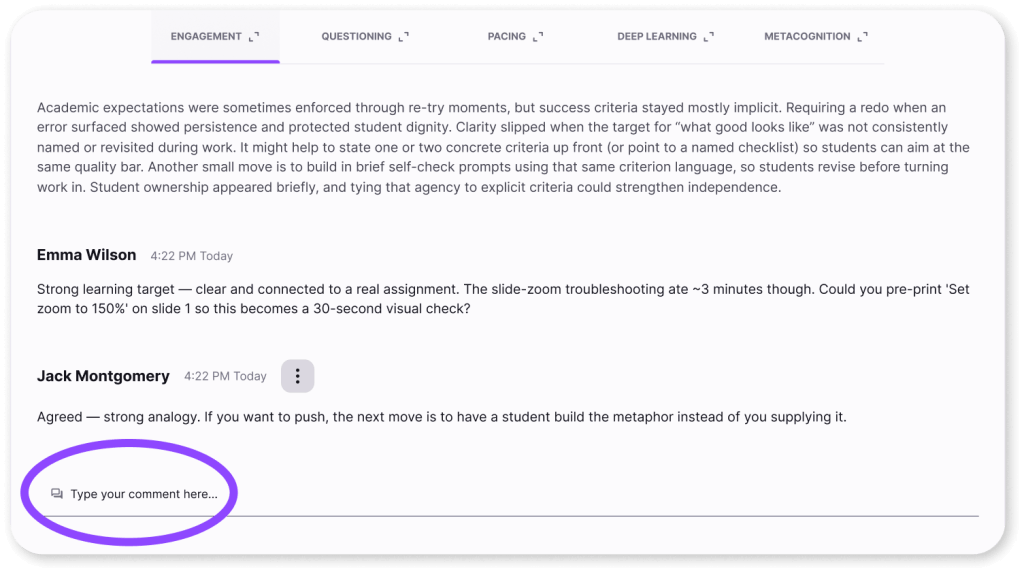
Comments belong to the clip or Feedback report, giving each conversation a clear focus. Viewers who are logged out can read comments but must log in to contribute.
Takeaways that encourage reflection
Takeaways should help educators recognize strengths and identify something worth exploring next. In this release, we’ve made continued improvements to the Takeaways each educator receives. The Takeaways are designed to make the next step feel approachable and connected to the educator’s work.
Generating a Feedback report updates Takeaways. Creating a Clip alone does not change them.
Other improvements across M2
This release also includes several practical refinements:
- More room for Group names: Names can now contain up to 60 characters.
- Clearer Coherence Prompt history
- A clearer privacy cue: A lock icon identifies teacher-private Chat with M2.
- Easier card management: Card actions include renaming, copying links, downloading transcripts, and deleting clips or reports.
Older activities retain their original My Feedback card and also display My Record. New activities use My Record with the Clip and Feedback cards educators choose to generate. This release applies to the web experience only for now.
More control over the next conversation
Across K–12 and higher education, educators need opportunities to examine their practice with a purpose. That purpose may call for reviewing an entire session, looking closely at one exchange, or sharing an example with a colleague.
This release gives educators more choice in how they move from a record of their work to feedback, reflection, and conversation. The starting point is the evidence. Educators decide what to explore next.